1.a Inspect screen shots | 35 min
A screenshot (sometimes referred to as a screencap, screengrab, or in the earlier days of the internet, as a print screen), can be seen as revolutionary. The ease with which you can copy and paste an image, use it in another context, and share it with others, encourages the use and spread of images on the web. This is especially the case when the images are copyright free. The first step in exploring image recognition is using your laptop to create two screenshots of images of your choice that have been used for the animation ‘Transformation.’
- Start by re-watching the video clip ‘Transformation.’ At any point in the video, pause it (for example, at 0:28 or 2:03), and take a screenshot of a clear image of an object or a person in the paused clip. (Click here for instructions on how to take a screenshot on a Mac or a Windows computer.
For Mac users, the screenshots will automatically appear on your desktop. For Windows users, the screenshots will appear in a folder called “Screenshots” in your “Pictures” folder. Copy those screenshots in the two fields of your answerform (this will be added to this lesson to download asap).
Taking the screenshots automatically generates information about them that we call metadata. Metadata, which literally means “data about data”, is information about the object in question. It is a concept that is key for the management of digital content (including photos, texts, audio or video-files, tweets, or 3d objects). In the case of digitally produced images, this type of metadata is called Exif data, which stands for: Exchangeable Image File Format. These data provide information about the image such as the amount of pixels, the number of bytes, the colour scheme, the date of creation, and the format of the image.
- Watch the video The Metadata Librarian Explains Metadata by metadata librarian Mary Rose of the Southern Illinois University Edwardsville Libraries that gives you an introduction to the concept of metadata by using the analogy of how we label leftovers in a fridge.
You are now going to inspect the metadata of the first of the two screenshots that you created.
- Click here for access to a PDF with an overview of all the metadata fields, how to access them, and what they mean Using the PDF, you will see all the major fields for metadata information in the tables below.
- Fill out only the metadata fields that are highlighted for the first of the two screenshots you took, either in the Mac or the Windows version, while taking note of all the other types of common metadata
| Mac OS metadata | Finding |
|---|---|
| Kind | |
| Size | |
| Where | |
| Created | |
| Modified | |
| Last opened | |
| Dimensions | |
| Colour space | |
| Colour profile | |
| Alpha channel | |
| Name and extension | |
| Comments | |
| Open with | |
| Preview (smaller version of screenshot) | |
| Sharing permissions |
| Windows metadata | Finding |
|---|---|
| Type of file | |
| Opens with | |
| Location | |
| Size | |
| Size on disk | |
| Created | |
| Modified | |
| Accessed | |
| Attributes | |
| Object Name | |
| Permissions | |
| Date taken | |
| Dimensions | |
| Width | |
| Height | |
| Bit Depth | |
| Name | |
| Folder path | |
| Attributes | |
| Offline status | |
| Shared with | |
| Owner |
- Check whether or not the metadata that you looked up was correct by using the online tool https://www.metadata2go.com, which helps you find and examine the Exif and metadata of an image, in addition to providing explanations for a number of metadata categories or fields that you might not be familiar with.
1.b Explore Image Recognition Tools | 50 min
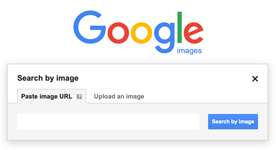
The purpose of Image Recognition software is to teach systems to recognize patterns in images in the same way humans do. The software is trained with data that enables it to create a kind of prediction model. This model defines a set of conditions that have to be met and translates those into pixel values, which allows the software to recognize different images by looking for the closest possible resemblances to what it has learned and stored. We are now going to explore two online image recognition services: a well known one, Google Search by Image, and a less-known service, Tineye.
For this assignment, you will choose the second of the two screenshots you took in Assignment 1a (that is, not the one that you analyzed the metadata of) to search for its origin via two image recognition services, Google Search by Image, and Tineye.

- To understand how image recognition through computers evolved first, watch this TED Talk by scholar Fei Fei Li of Stanford University.
- Next, open one tab to Google Images, and another tab to Tineye and upload your screenshot from your desktop to both services. A summary of the retrieved results will appear, along with all the listed hits below.
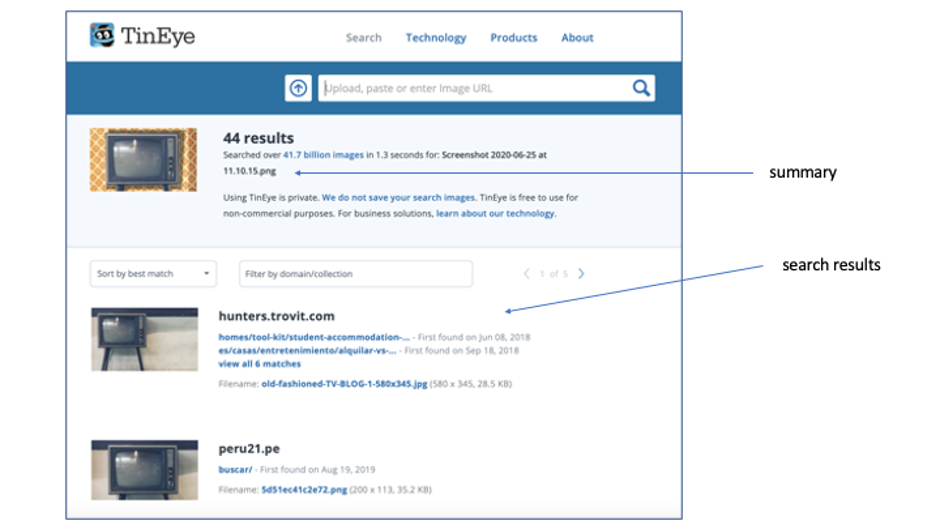
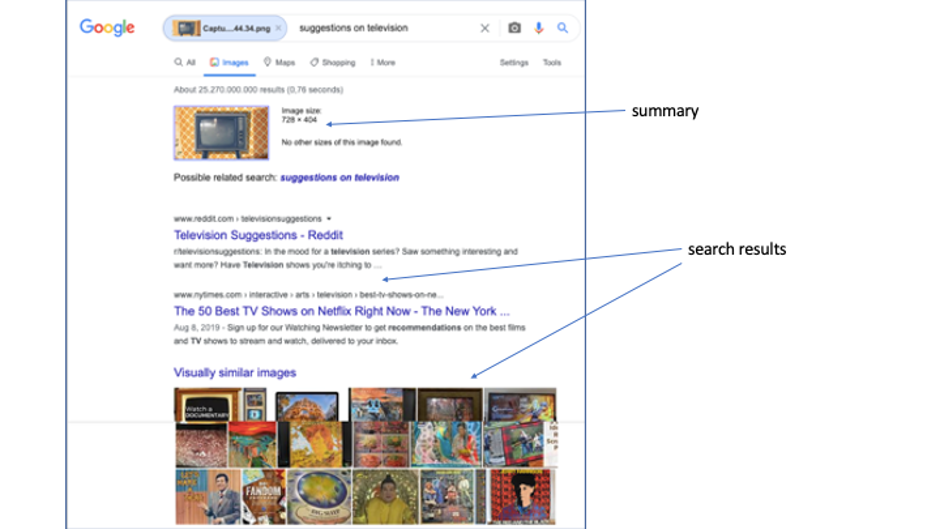
- Complete the table with your findings. Put a copy of your screenshot in the first field (if you have chosen a portrait page setup, you will need to make it smaller to fit in the field)
- Describe the differences in options to select between the two services
- Describe the metadata components of the summary of the search in both services, paying attention to the differences between the two services. This includes things such as the dimensions of the image, possible related search terms, the file type, and any other information relating to the image itself.
- Describe the metadata components of the search results in both services, paying attention to the differences between the two services. This includes things such as the titles and text of the websites that appear, the number of search results, and any other information relating to the search results generated by the different services.
-
Describe the first two search results, first the result of the search and then what you find when you open the link, assess the quality of the image recognition in both services.
- Evaluate your findings in a short summary (100 words max.) in which you assess the reason for the differences in performance. (Hint: Think about what was said in the TED Talk)
1.c Applying Digital Source Criticism to screenshots | 50 min
Source criticism is the practice of critically engaging with a source. Historians, for example, have always questioned the origin, meaning, and credibility of the historical sources that they use. However, when a source is digitised, published online, and reproduced by many people, it can become more difficult to trace the origin of the source. In this assignment, you are going to document the characteristics of the image from its original creation to its digital representation online, tracking the changes that happen each time the image is transformed into something else. It is important to remember that while the transformed image communicates the same message as the original in most instances, its artifactual value has profoundly changed.
- Open this visual aid from the Ranke.2 website. You will see the heading ‘Questions to ask about a digitised manuscript published on the web.’ Below, three contexts are identified in which the identity, appearance, and value of a source changes. In each context, different questions should be asked. In this assignment, you will pose similar questions about two images that you will choose below.
The goal here is to understand the difference between ‘the’ image and ‘an’ image. ‘The’ image is the original, that is, the very first of its kind that was ever made. ‘An’ image is a reproduction of the original image. Sometimes the reproduction is in the same format as the original and sometimes it is in a completely different format. Here, you will be tracing that process of transformation from the original image (context of creation) to its digital reproduction (context of digitisation).
NOTE: You may need to do some additional web research to answer all the questions. Some good resources include Encyclopedia Britannica, Google Scholar, and Khan Academy. Keep in mind that some websites do not share the information about the digitization process, so it is OK if you are not able to find all the necessary information.
- Look at the images below, choose two, and take screenshots of them.
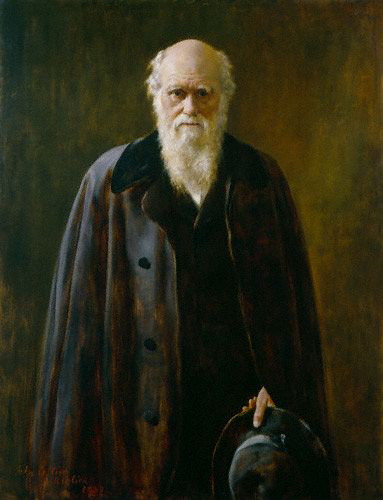
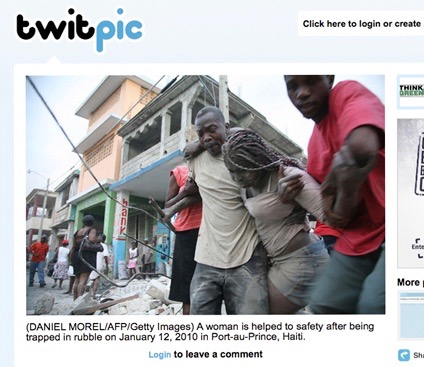
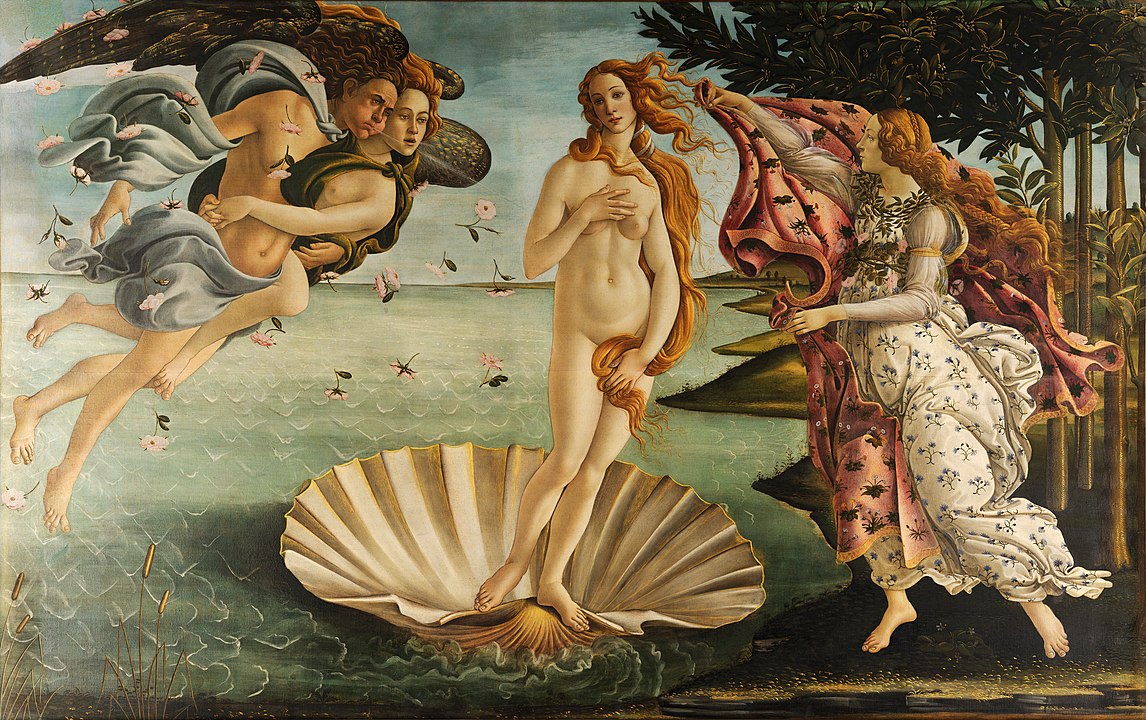
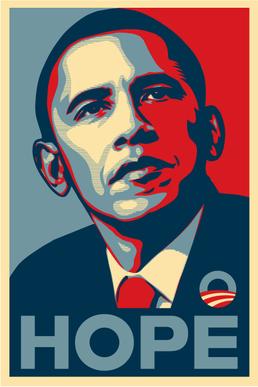


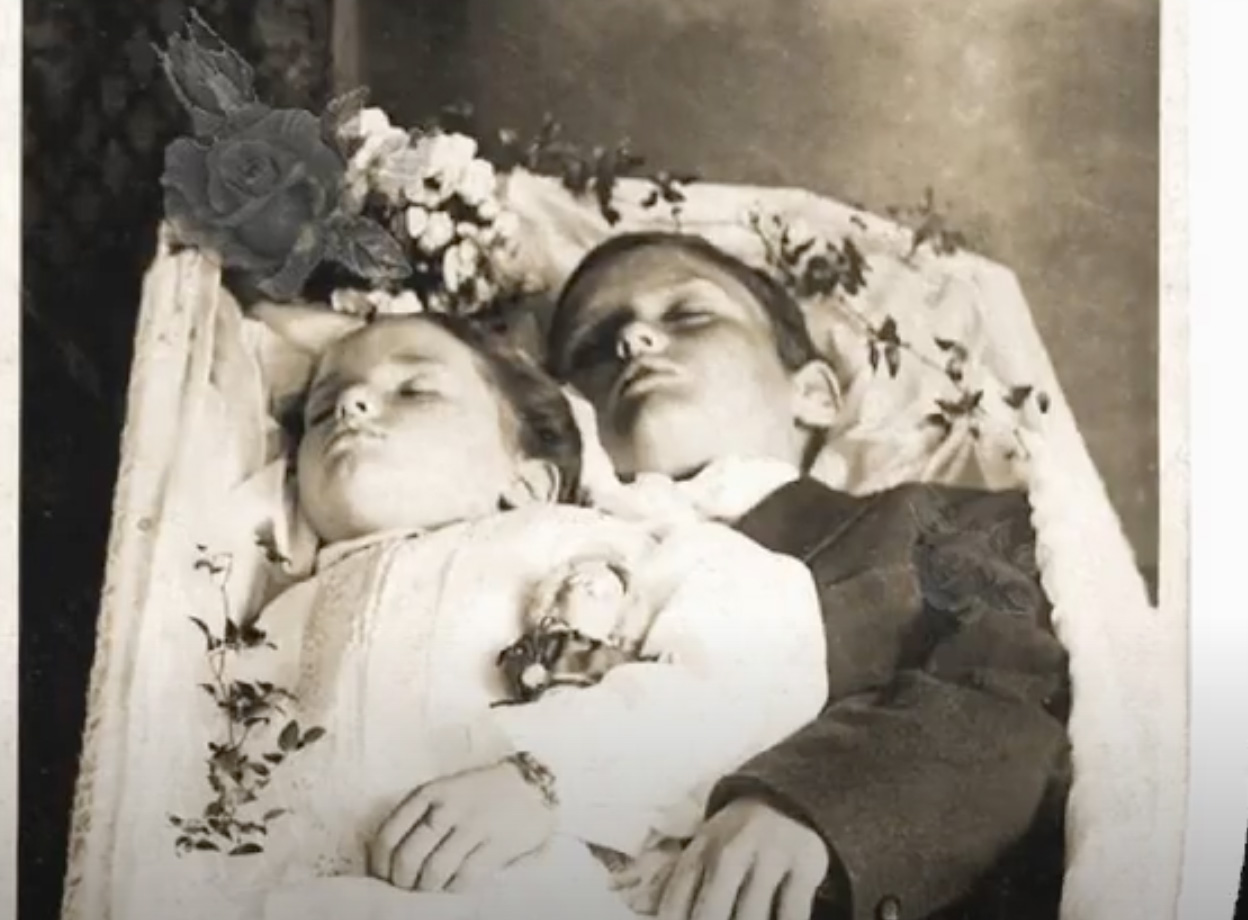
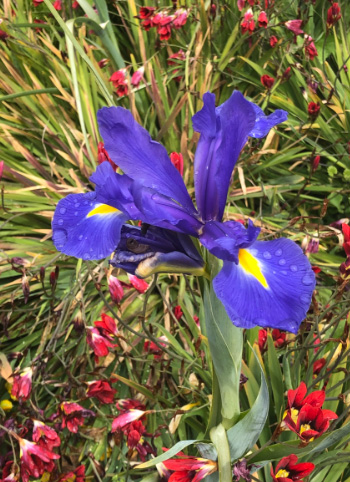


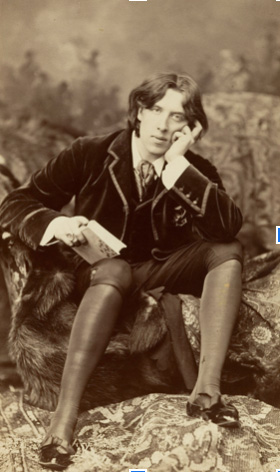

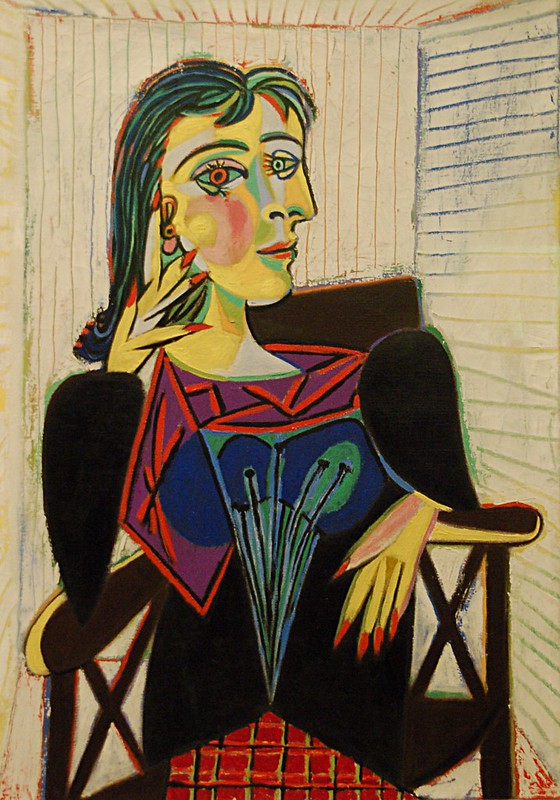
- Fill out the tables below using two of the images selected above. For the first section, ‘Context of creation’, we suggest that you repeat the process of Assignment 1b of uploading the screenshot in the image recognition service that you prefer. The list of results that appears will guide you in answering the questions in the first section.
To give you an idea of how to respond to the questions, an example is given below.
| 1. Context of creation | example answer |
|---|---|
| What is its name and who created it? | Portrait de Dora Maar. It was created by the painter Pablo Picasso. |
| When and where was it created? | 1937 and potentially in Paris. |
| For which purpose? | to create a work of art |
| What is portrayed in the image? | Dora Maar, a pseudonym for the french photographer, painter and poet Henriette Theodora Markovitch, Picasso’s muse |
| With which technology/craft/medium? | Oil on linen |
| 2. Context of preservation | example answer |
|---|---|
| Where is the original? | At the Musée Picasso in Paris |
| What does this say about the value of the source? | It is valued as an important work of art |
| Is it accessible to an audience? | It is not clear whether it is in the museum’s archive or currently being exhibited to the public |
| Has its value/ appearance//identity changed in this different context? | Yes, it has become part of shared cultural heritage as it is in a publicly funded museum. |
| 3. Context of digitisation and online publishing | example answer |
|---|---|
| On which website did you find it? | I found it both on commercial images selling companies websites like Alamy, and in websites of collections, like wikiart. An interesting thing to note is that you can end up on a website where you have to pay to receive a copy, whereas the image is licensed under ‘fair use’ and can be downloaded without costs, in a lower resolution |
| Who published it online, when and where? | This is not possible to find out online and would require an investigation based on contact with the owner of the painting, that is, the museum |
| Why and how was it digitised | Same as above |
| Was information lost or added? | Yes, its materiality was lost, the colors are different, the dimensions are different, and it has changed into digits and automatically created metadata when being photographed, being converted to a lower resolution to make it suitable for upload. When uploaded, the structure of the bits changed again, and new metadata was added. |
| Who is the owner of the digital copy? | Probably the Picasso Museum, but it is being shared under the principle of ‘fair use’ and for educational and research purposes a lower resolution is freely available. |
Reading/viewing suggestions
- How to find and remove Exif data on a Mac and on a Windows computer: Klein, Matt. “What Is EXIF Data, and How Can I Remove It from My Photos”. How-to Geek, July 10, 2017. Magazine article
- Neatrour, Anna, and Martin Greer. “Using Metadata to Describe Digital Content.” September 30, 2015. Digpublib. Video, 35:51. Youtube Video
- Jagdish, Deepak, and Daniel Smilkov. “The Power of Metadata.” September 25, 2013 at TEDxCambridge. Video, 9:57. Youtube Video
- Read the original article from the team that produced the Google Books Ngram Viewer: Michel, Jean-Baptiste, Yuan Kui Shen, Aviva P. Aiden, Adrian Veres, Matthew K. Gray, et al. “Quantitative analysis of cutlure using millions of digitized books.” Science 331, (6014): 176-182. Harvard Library
- If you want to go more in-depth about the field of Image Recognition software and Computer Vision: Szeliski, Richard. “Computer Vision: Algorithms and Applications by Richard.” Last modified May 23, 2022. Website